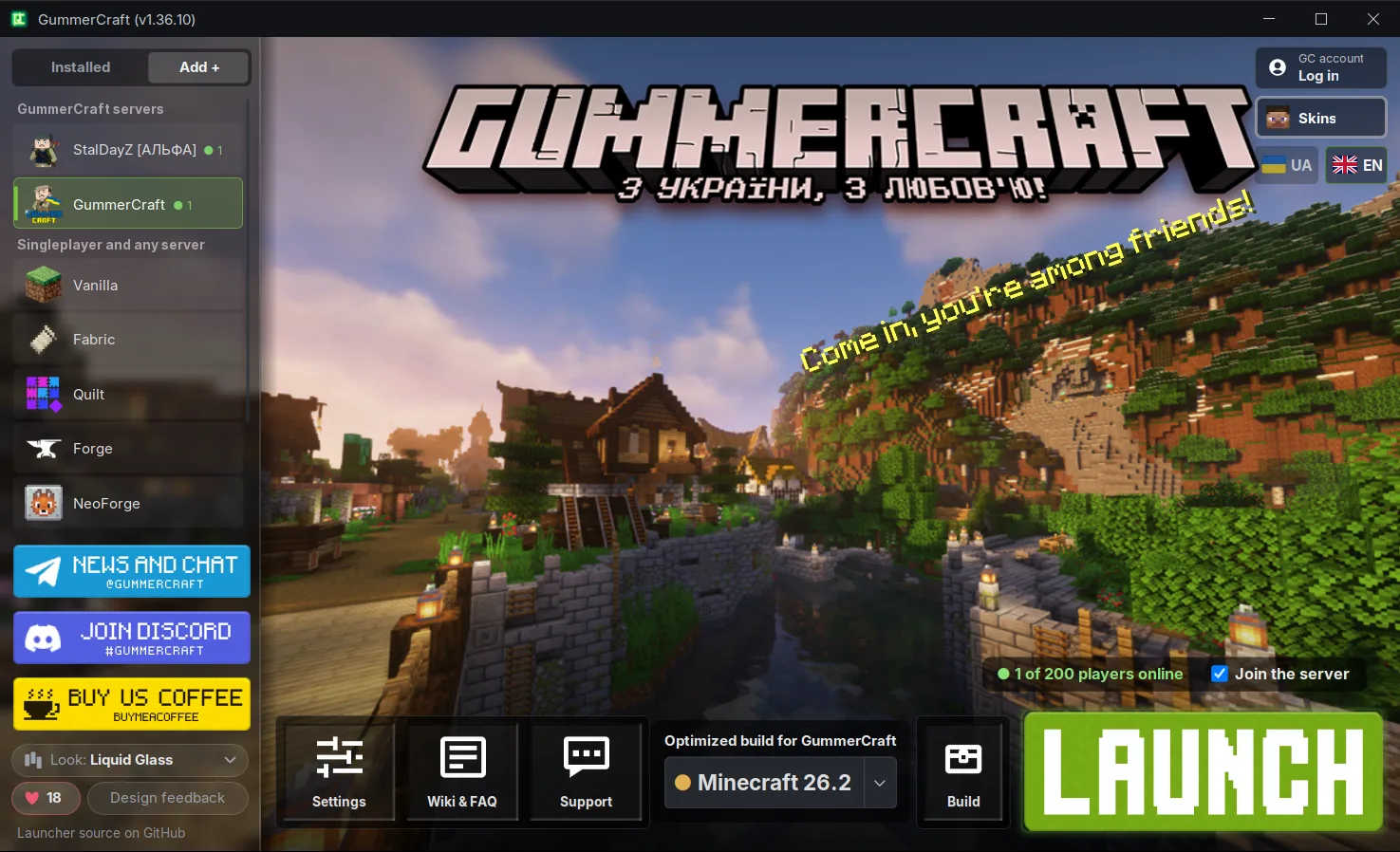
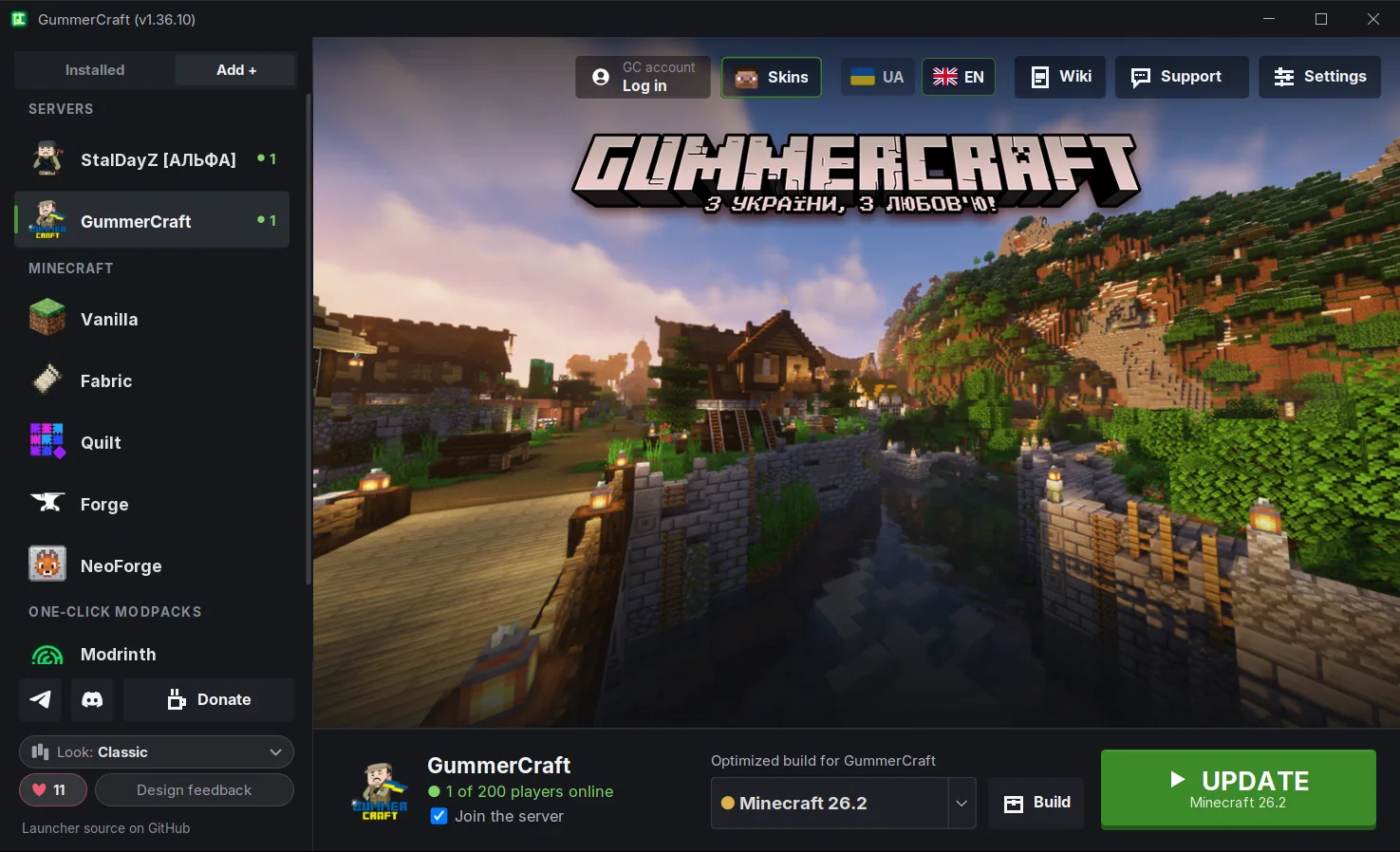
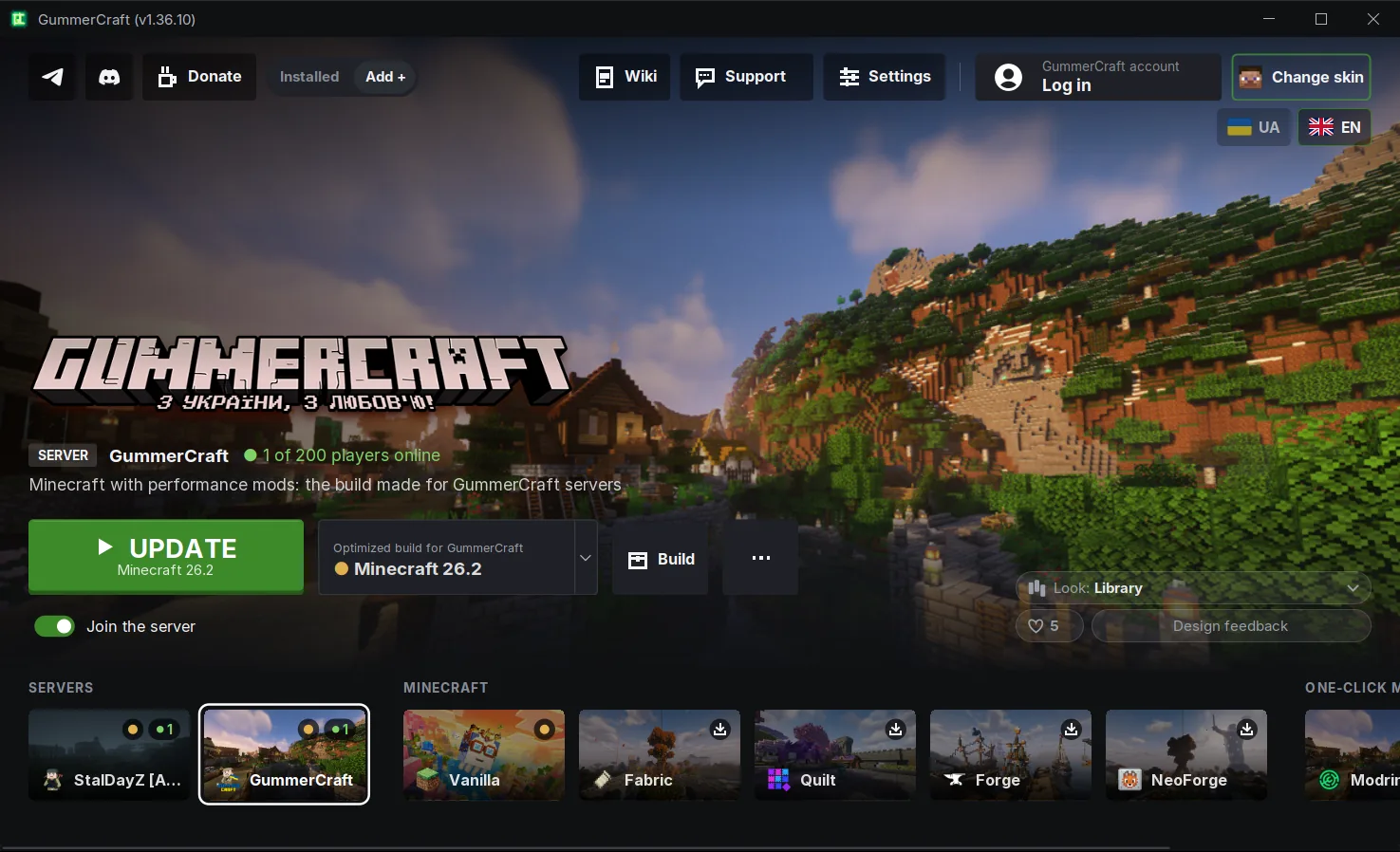
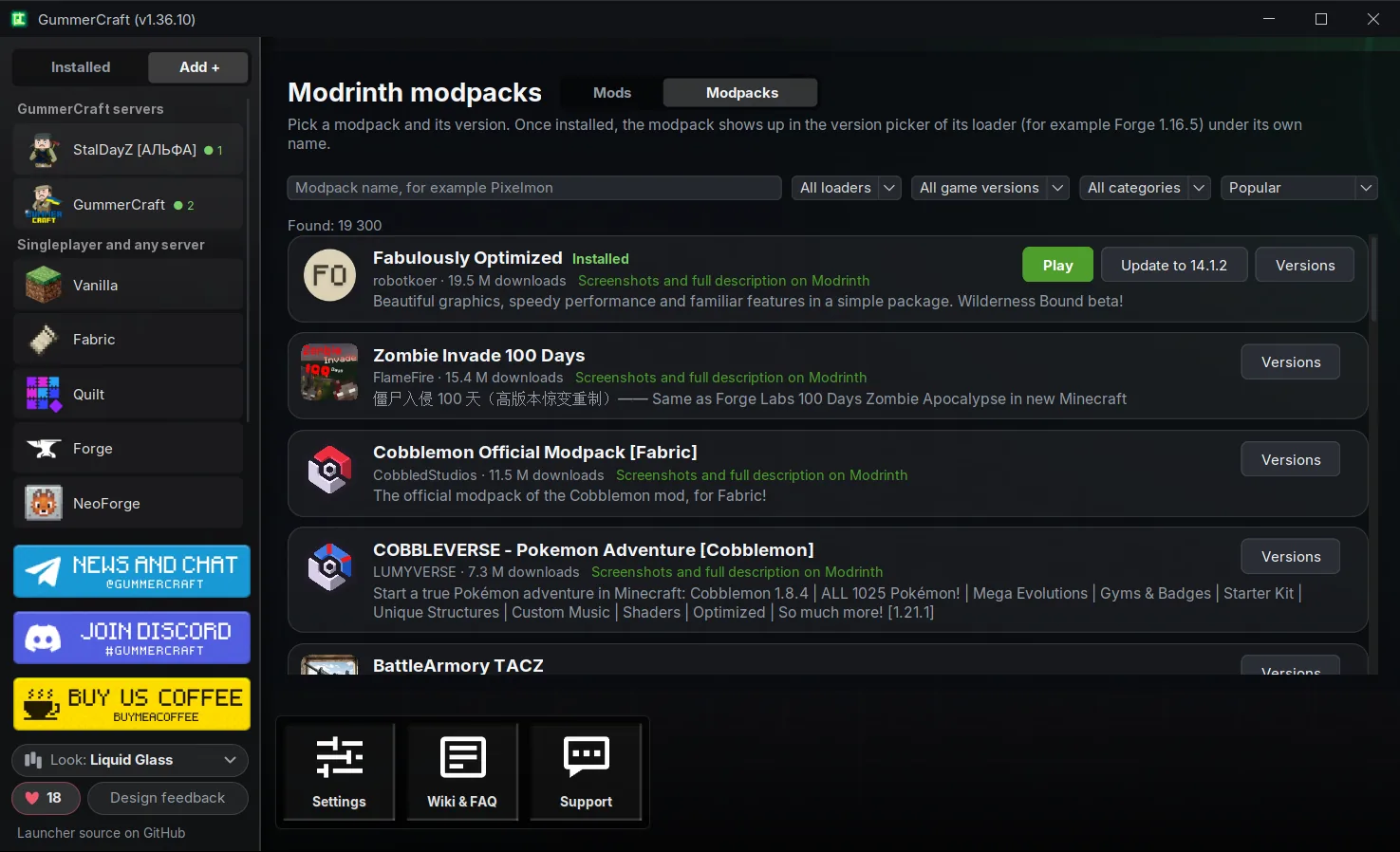
A free, ad-free Minecraft launcher with open source code (LGPL-3.0), made in Ukraine. Vanilla from the very first versions, Fabric, Quilt, Forge and NeoForge, one-click mods and modpacks from Modrinth, import from Prism, CurseForge or TLauncher, bundled Java and Microsoft login.
On Linux the launcher installs together with Java. On Mac you need Java for Mac to start the launcher. The launcher downloads Java for the game by itself. Step-by-step guides: Linux, Mac, Steam Deck.
Everything in one launcher: StalDayZ, GummerCraft builds for Minecraft 1.16 to 26.2, clean Vanilla Minecraft, Fabric, Quilt, Forge and NeoForge for your own mods, and thousands of modpacks from Modrinth. Pick a build and a version, press «Launch» and join any server you like.
Choose the look you like: Liquid Glass, Classic or Library. English or Ukrainian, switched with the flags on the main screen.
Liquid GlassClassicLibraryOne-click Modrinth modpacksMod search in the Build windowFPS presets for your PC
Features of the GummerCraft Minecraft launcher
What you need in any game, what a regular launcher can't give you on our servers, and everything for your own builds and mods.
Launcher inventory
Singleplayer and any server
On GummerCraft servers
Your builds and mods
Hover or tap a slot
Any Minecraft version and every mod loader
Any Minecraft version The Vanilla section has clean Minecraft from Mojang: every release from 1.8 to the newest, plus snapshots of the current version. The «museum» even has the very first versions: Classic, Infdev, Alpha and Beta. New versions appear in the launcher automatically right after the official release.
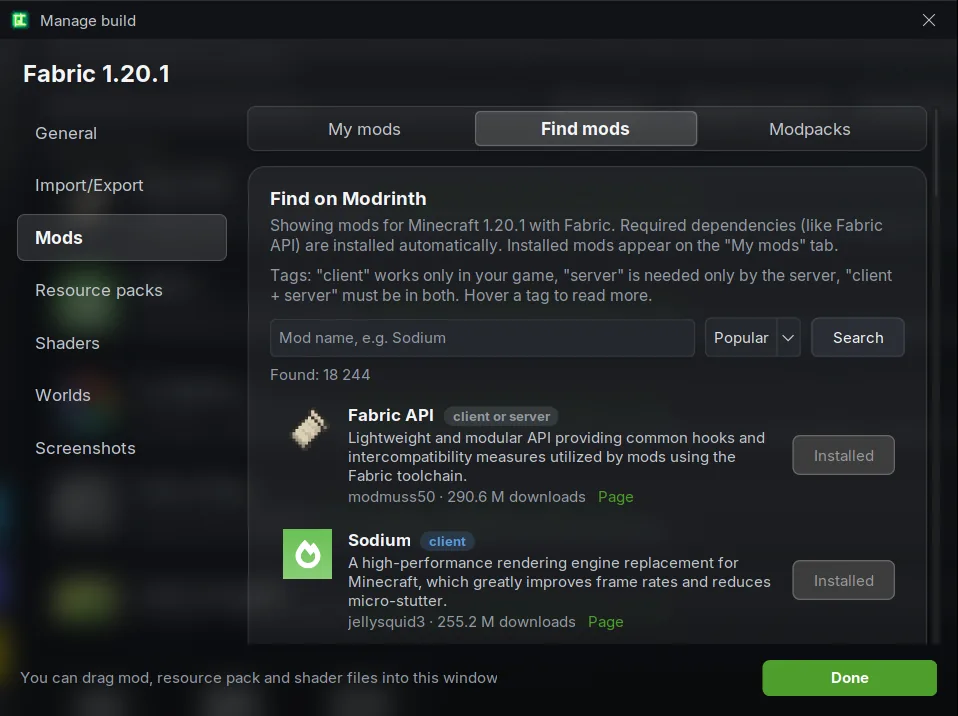
Fabric, Quilt, Forge and NeoForge For your own mods there are separate Fabric, Quilt, Forge and NeoForge sections. The launcher installs the loader for the chosen Minecraft version by itself; mods can be found and installed right in the «Build» window, or just dragged into it.
Login and offline play
Microsoft login If you own Minecraft, sign in with your Microsoft account and the game starts with your name and skin, just like the official launcher, including on premium servers. Without a license a local account with any nickname is enough.
Offline play Installed builds also start without internet, with the same nickname and singleplayer worlds.
Smart Crash Helper and Java
Help right inside the launcher Before launch it checks that every game file is in place and downloads whatever is missing. If the game crashes, it explains what happened, names the mod that caused it and offers to disable it, update it or roll back to the previous version. Before launch it warns about a mod made for another game version or mods that don't work together, and after a crash it recognizes a broken mod config or a damaged world. The «Contact support» button opens a chat with us and sends your log automatically.
The right Java, picked for you Every Minecraft version needs its own Java: 1.8 runs on Java 8, the newest on 21 or 25. The launcher knows this and downloads the one you need, nothing to search for. Settings show which Java you have, and you can update it or roll it back.
Design, language and open source
Three looks and two languages Pick the look you like: Liquid Glass, Classic or Library. Switch between English and Ukrainian with the flags on the main screen, no restart needed.
Open source The launcher's code is on GitHub under LGPL-3.0. Anyone can read and check it, see «Safe and open».
Modpack and joining the server
The modpack installs itself Choose StalDayZ or a GummerCraft build version and the launcher downloads the mods, resources and the Java the game needs. It also keeps modpacks up to date automatically.
Straight to the server Next to the «Launch» button you see how many players are on GummerCraft servers right now. With «Join the server» ticked, you land on the build's server right after launch.
Voice chat and map
Voice chat Talk to nearby players right in the game: GummerCraft builds come with a built-in, preconfigured proximity voice chat.
Minimap with death points The map shows where you are, your coordinates, your waypoints and where you last died.
Skins and account
Skins Change your skin right in the launcher with «Change skin», separately for StalDayZ and GummerCraft. Every player on the server sees it. You can also upload a skin at skin.gummercraft.fun.
GummerCraft account Sign in with your server nickname and password, or register a nickname in advance. After login you get a personal page with stats: playtime, active perks and more. It's optional: the launcher works the same without it.
StalDayZ
The stalker survival server StalDayZ (inspired by S.T.A.L.K.E.R. and DayZ) runs only through our launcher: it has its own modpack built from a unique set of mods and our own custom ones.
The «Build» window and copies
The «Build» window The «Build» button opens everything for managing a modpack: mods, resource packs, shaders, worlds and screenshots. Mods are turned on and off with a checkbox, and each mod is marked as client-side or server-side.
Copies and your own look Want to experiment without breaking your main build? «Duplicate» makes a copy in one click. Give any build of yours a name, an icon and a background, and if something goes wrong, reset it to its original state.
Mods and modpacks from Modrinth
One-click Modrinth mods Search mods, resource packs and shaders from Modrinth right in the launcher, filtered for your game version. Dependencies install themselves, and when a mod gets a new version the launcher shows the changelog and updates it. Every download is checked against its Modrinth hash.
One-click modpacks The «Modrinth» row in the build list opens every Modrinth modpack with search and filters. Pick a modpack and a version, the launcher does the rest. Modpack updates show the authors' changelog, and the previous version can always be restored from a backup.
FPS and graphics card
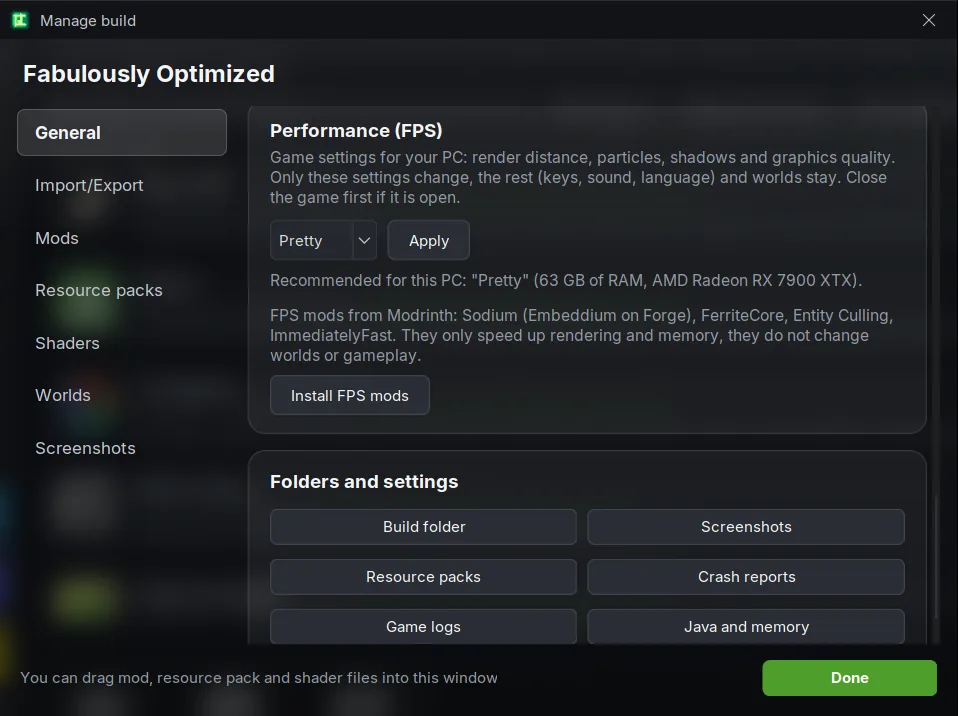
FPS presets «Weak PC», «Balanced» or «Pretty»: the launcher suggests what suits your computer, and «Restore game settings» puts everything back. From the same place you can add FPS mods (Sodium, FerriteCore and others) in one click.
GPU switcher On a PC or laptop with two graphics cards, the system often runs Minecraft on the weaker integrated GPU, and the game lags even with a powerful discrete card. In the «Build» window you choose which GPU runs the build: the launcher lists them by name and marks which one is integrated and which is discrete. On Windows it is the same setting as in Graphics settings, and one click undoes it.
Import and «Share»
Import builds from other launchers Coming from Prism Launcher, MultiMC, CurseForge, ATLauncher, SKlauncher or TLauncher? The «Import a build» row finds your builds, detects the game version and loader, and moves over mods, settings, resource packs, shaders and, if you want, worlds. A build from any other folder can be picked by hand.
Share a build Save your build to a .mrpack or .zip file and send it to a friend: it opens in their launcher with the same mods and settings.
On Windows Java is built into the launcher. On Linux and Steam Deck Java installs together with the launcher. On Mac install Java for Mac first.
+
🧭3
Pick a version and a name
Choose StalDayZ, a GummerCraft build, Vanilla or a section for your own mods. Sign in with Microsoft or just with a nickname.
➜
🎮
Play! 😊
..or register on the GummerCraft server, if that's where you're heading ❤️
New
Minecraft launcher for Steam Deck
Any Vanilla version, mod loaders, Modrinth modpacks, GummerCraft builds and StalDayZ all run on Steam Deck. The launcher installs from a single file together with Java and adds itself to your Steam library, so you can play right in Gaming Mode.
No terminal, no sudo password, no changes to SteamOS
Vanilla, mod loaders, Modrinth, StalDayZ and GummerCraft builds
Launch from your Steam library as a Non-Steam game
Our own gamepad layout for the launcher and the game
GummerCraft Launcher is an open-source Minecraft launcher. All of its code is on GitHub under LGPL-3.0: anyone can see what it does, build it themselves and check that the file on our site was built from exactly that code.
Official build verification. The launcher repository has a script, tools/verify-cdn.py: it downloads the official launcher from our server, compares its SHA-256 with the published one and checks its contents against your own build from source, file by file. The only difference is the settings file with the Microsoft application ID used for login, which is not in the public code.
Verified updates. A new launcher version is downloaded over HTTPS only and starts only if its SHA-256 matches the published one. Mods from Modrinth are checked against their hashes too.
No ads, nothing extra. The launcher doesn't add itself to startup, installs no services and doesn't touch files outside its folder. What it connects to and what it stores on your PC is described in SECURITY.md.
Checksums. Check the downloaded file with Get-FileHash GummerCraft.exe in PowerShell (or sha256sum on Linux): the hash of every version is published in the GitHub releases.
Common problems
What to do if the launcher won't start, the game crashes or a server kicks you.
🖥️The launcher won't start
On Windows, download the launcher again. New versions have Java inside, so there is nothing else to install.
If Windows shows a blue SmartScreen window («Windows protected your PC»), click «More info» and then «Run anyway». Windows does this for programs that haven't built up a «reputation» with Microsoft yet. The launcher's code is open, and anyone can check that the file on the site was built from it.
On Mac the launcher starts only when Java 8 or newer is installed, for example Java for Mac (PKG file). More on the Mac page.
If the Linux install file doesn't start on double-click, right-click it and choose «Allow Launching». You can also install with one terminal command: curl -fsSL https://launch.gummercraft.fun/install/linux/install.sh | bash. More on the Linux page.
📶I get kicked from a server after a few seconds
If you see the world and then «Connection lost» with an error like DecoderException, length wider than 21-bit, was larger than I expected or invalid code lengths set, packets are getting corrupted on the way to you. It happens most often on mobile internet or a phone hotspot. The server and the launcher aren't the cause, and reinstalling the modpack won't help.
The free Cloudflare WARP (the 1.1.1.1 app) usually fixes it. Install it, turn it on, and only then start the game. WARP encrypts the connection, so corrupted data no longer reaches the game. A browser VPN won't help, because the game doesn't go through it. Another option is a different connection, such as Wi-Fi or cable.
📦The modpack downloads slowly or the download breaks
The launcher resumes broken downloads and checks every file, so a damaged file is downloaded again. If it still fails, a more stable connection or the same WARP helps. It's also worth adding the GummerCraft folder in Documents to your antivirus exclusions.
💥The game closed with an error
The launcher shows what happened and offers a button that helps. Most often it's:
«The game ran out of memory»: press «Memory settings» and give the modpack 4-6 GB, but no more than half of your computer's RAM.
«Game files are damaged»: press «Reinstall the pack» and the launcher downloads the files again.
«A graphics driver problem»: update the driver from the vendor's site (NVIDIA, AMD or Intel) and restart the computer.
«The disk is full»: free a few gigabytes on the drive with the launcher folder. The launcher warns you how much space it needs before downloading.
«An antivirus blocked a file»: usually a false positive from Windows Defender. If the file is from our modpack or Modrinth, restore it from quarantine or add the launcher folder to exclusions and start the game again. A mod from an unknown site is better deleted and replaced with the same or a similar mod from Modrinth.
«A mod seems to have crashed the game»: the launcher names the mod and offers to disable or update it. For a Modrinth modpack, the «General» tab of the «Build» window can reset it to its original state.
🔑Other problems when joining
If the world keeps loading forever, close the game and join again: it can happen on the first join.
If the game says the login timed out on a GummerCraft server, the password wasn't entered with /login in time. Join again and type the password right away. Registering and logging in on the server is described in the FAQ (in Ukrainian).
🗑️How to uninstall the launcher or all builds
In the launcher settings, under «Advanced», there are two red buttons: «Delete all builds» and «Delete the launcher and all builds». The launcher shows how much space will be freed and asks for confirmation. Only the launcher's files are removed; your other files stay untouched.
Press «Contact support» in the launcher's error window: the game log is attached automatically and you can describe the problem. You can also write to our support chat directly.
GummerCraft servers: with or without the launcher
GummerCraft is a Ukrainian-speaking Minecraft community. You can join our Vanilla servers from any launcher on versions 1.8 to 26.3 at play.gummercraft.fun. From a phone or console (Bedrock) the address is br.gummercraft.fun, port 19132. Without our launcher you won't have voice chat, the minimap or skins, and StalDayZ won't start at all.